OTA Updates
Over-The-Air (OTA) updates allow you to enhance your app's security in real-time. You can apply new security configurations and protections instantly without needing to resubmit your application to the Play Store or App Store. This enables you to respond to emerging threats and extend your protection's validity on the fly.
How to Perform an Over-The-Air (OTA) Security Update
When you take cloud solutions. Follow the following steps:
When using Bugsmirror cloud solutions, OTA updates allow you to deploy security changes instantly, without requiring users to reinstall the app.
Step-by-Step Process
- Go to the Dashboard
Navigate to the Bugsmirror Defender tab. - Open Build Lab
Click on the Build Lab section. - Select Your Application
Choose the application you want to update. - Choose Framework
Select the relevant framework used by your app. - Select Release Tag
Pick the version (release tag) you want to update. - Select Mitigation
Choose the security mitigation or protection you want to apply. - Enter Build Details
Provide the required build version information. - Proceed to Next Step
Click Next to continue.

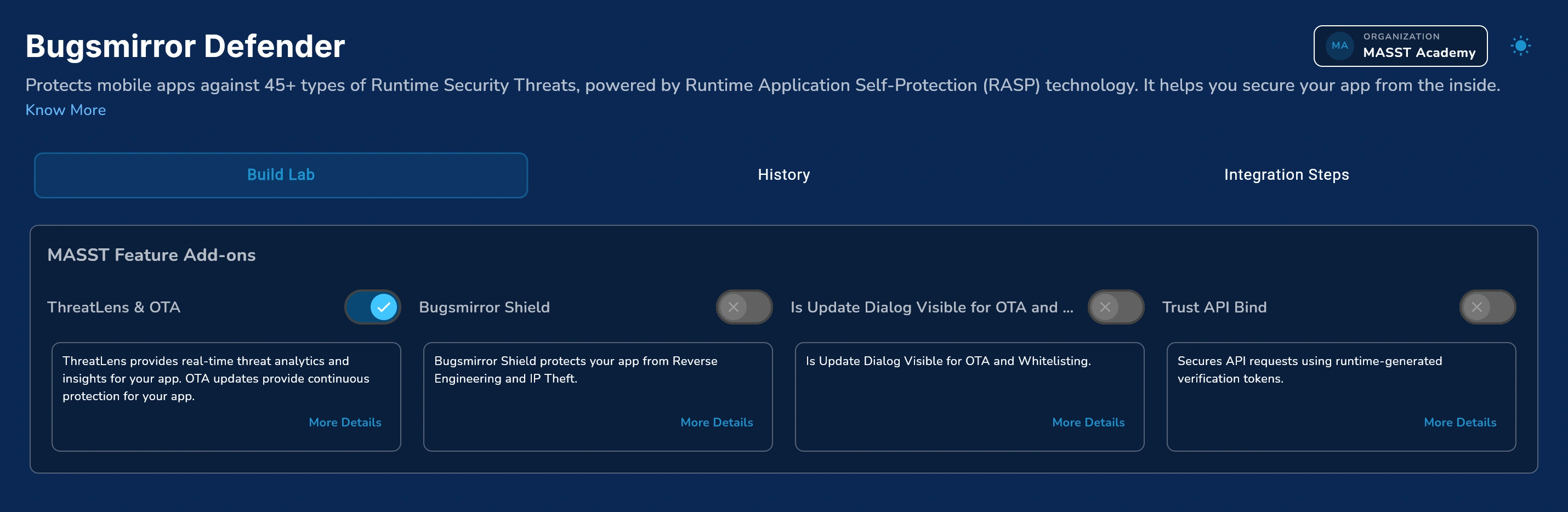
Configure OTA Settings
- Enable OTA & ThreatLens
If you're using Bugsmirror cloud, you’ll see two options:- Enable ThreatLens & OTA Updates
- Update Notification Settings
Enable Update Dialog Visibility if you want users to see a prompt after each update. - Proceed Further
Click Next. - Enable Features (if required)
Turn on any additional features you want to include in the update. - Submit Configuration
Click the Submit button. - Publish the Update
- Check “Please check this to Publish”
- Confirm the action
The security update will now be deployed directly to user devices via OTA.
How OTA Works?
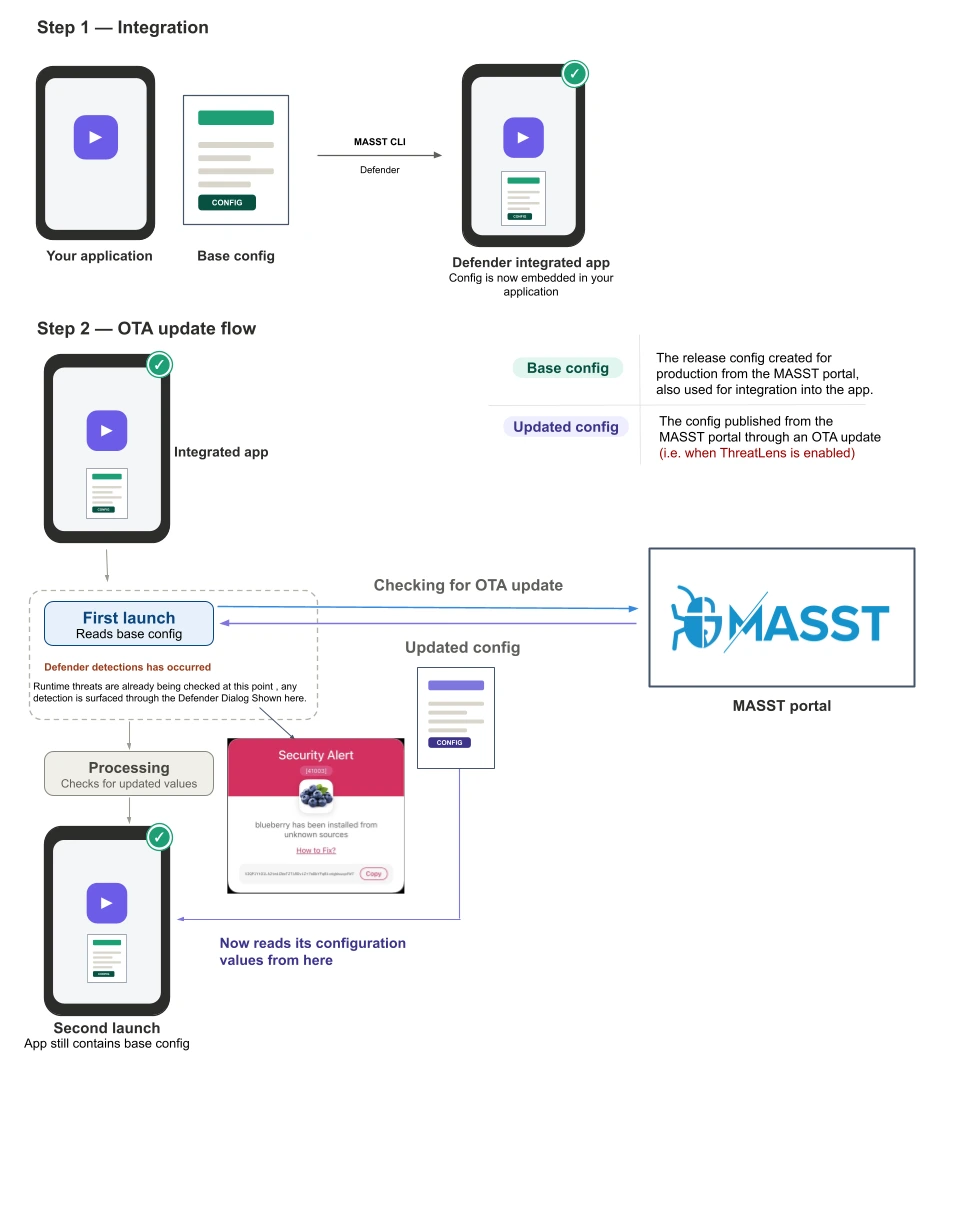
Step 1 — Integration
During integration with MASST Defender, a base configuration file is embedded directly within the application package (.apk/.ipa) at build time. This base configuration is shipped with the app to all users and remains fixed once the application is installed, as it forms part of the compiled binary.
Step 2 — OTA Update Flow
Upon first launch, the application initiates a check with the MASST portal for an available OTA (over-the-air) update. However, the app continues to operate on the base configuration while this check is in progress, as the base configuration is already active before the updated configuration completes its download and processing. From the second launch onward, the application retrieves and applies the updated configuration values, while the original base configuration remains embedded within the app and is only utilised for internal verification.
This design ensures the app remains fully functional from the very first launch, with no waiting period for the update to complete. The update is then applied seamlessly from the second launch onward, while maintaining continuous, uninterrupted use.